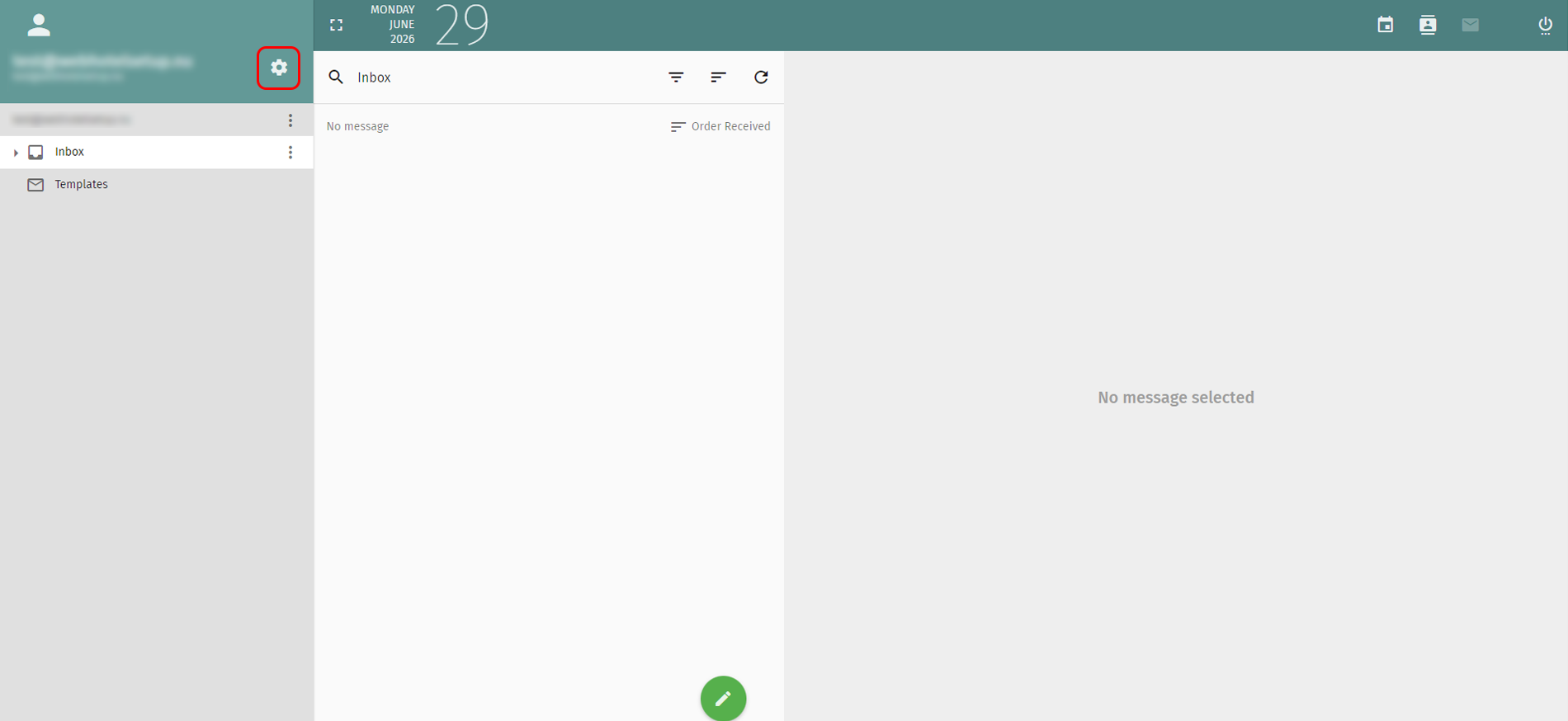
1. Click the gear icon to the right beside your email address on the top left.
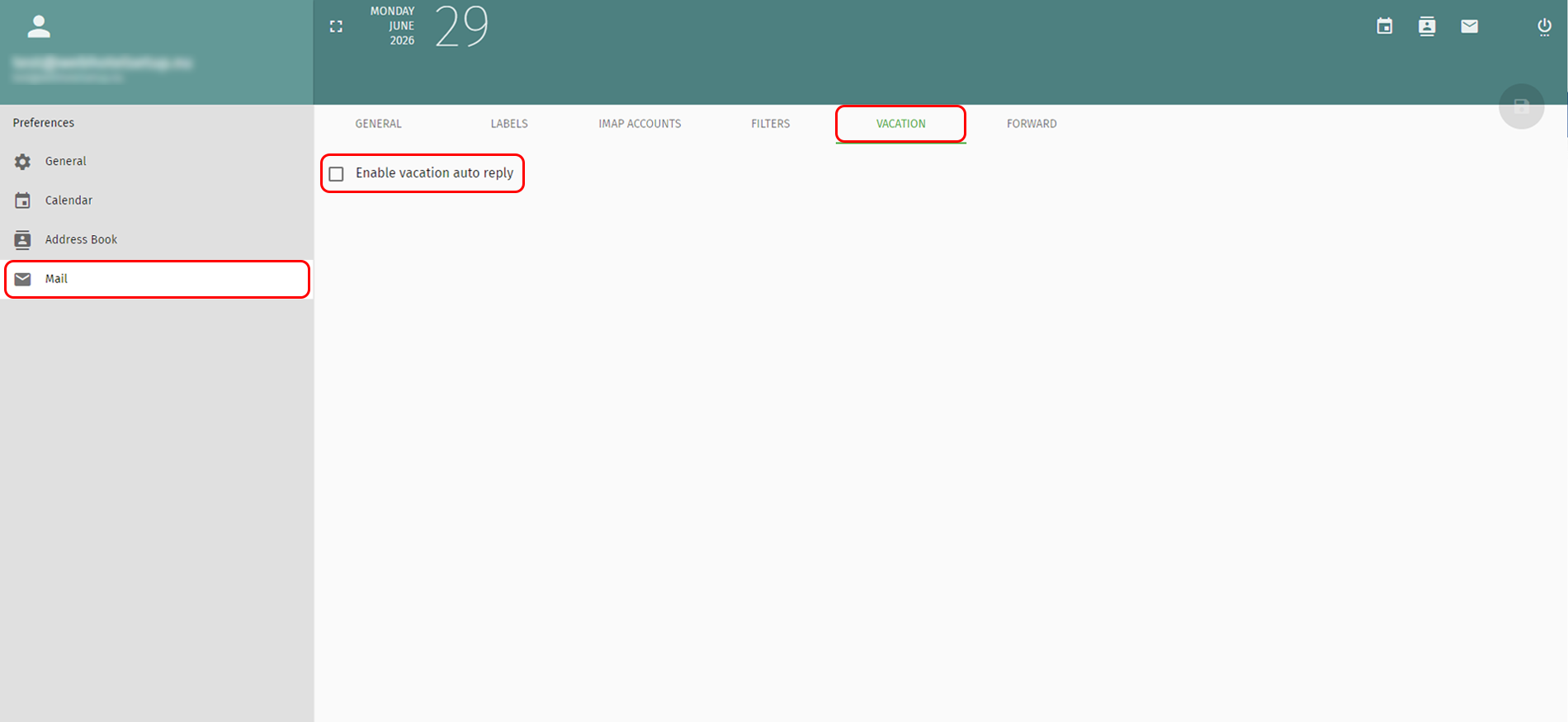
2. Select “Mail” from the menu on the left. Then go to the “VACATION” section and check the “Enable vacation auto reply” option.
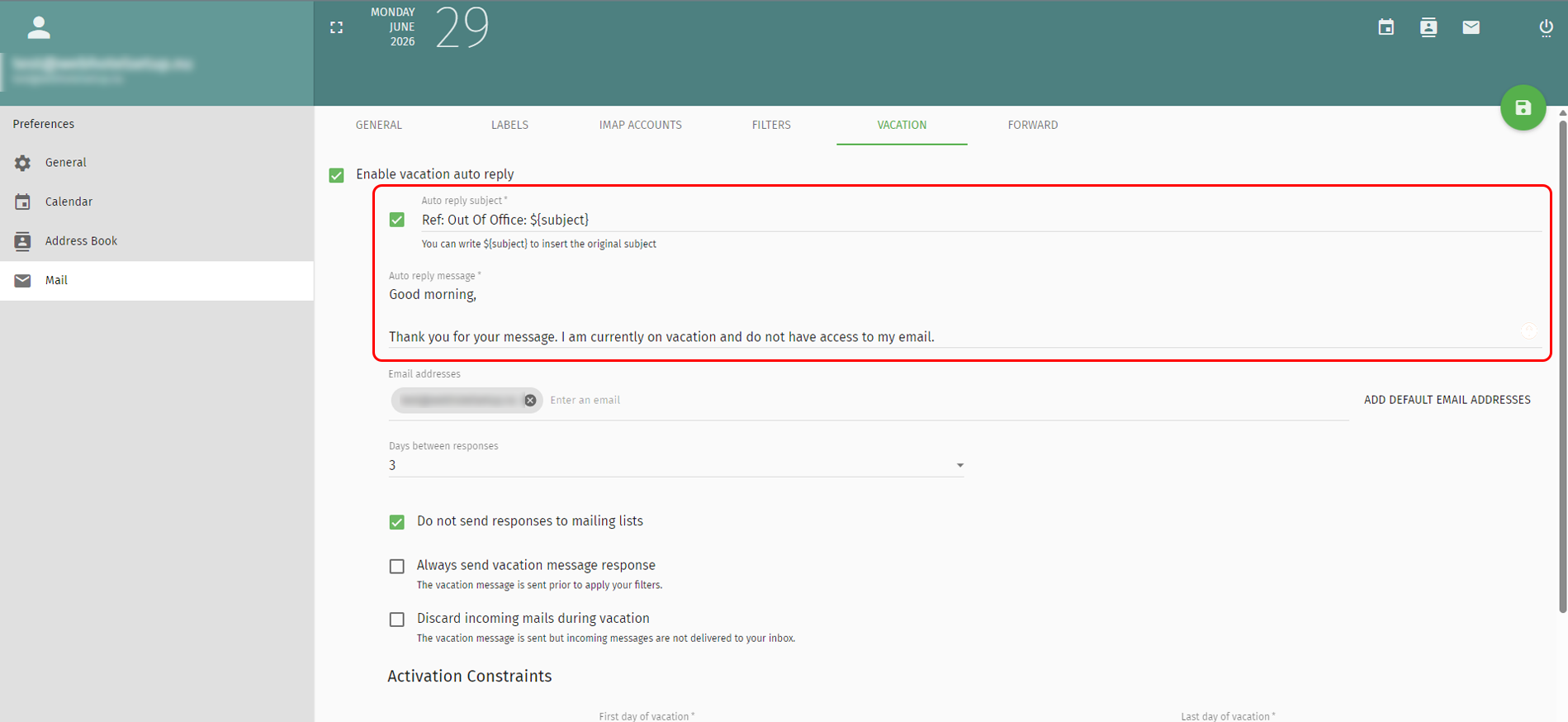
3. Enter the subject and reply message.
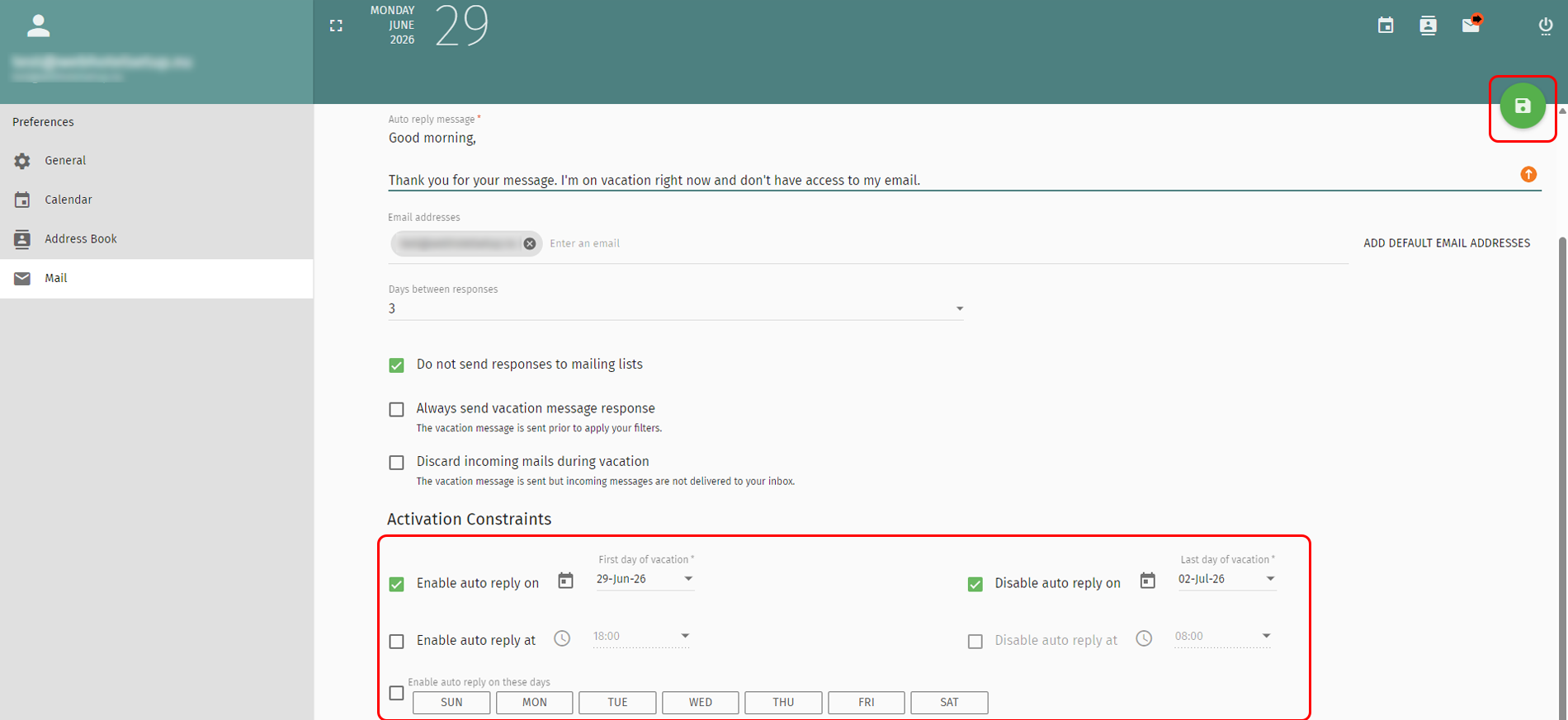
4. Set the dates, times, and days when the auto reply should be enabled. Click the floppy disk icon to save.
Back Last updated: June 29, 2026 by



 +44 (0) 20 4571 1971
 +45 70 26 20 25
 +48 22 103 18 42