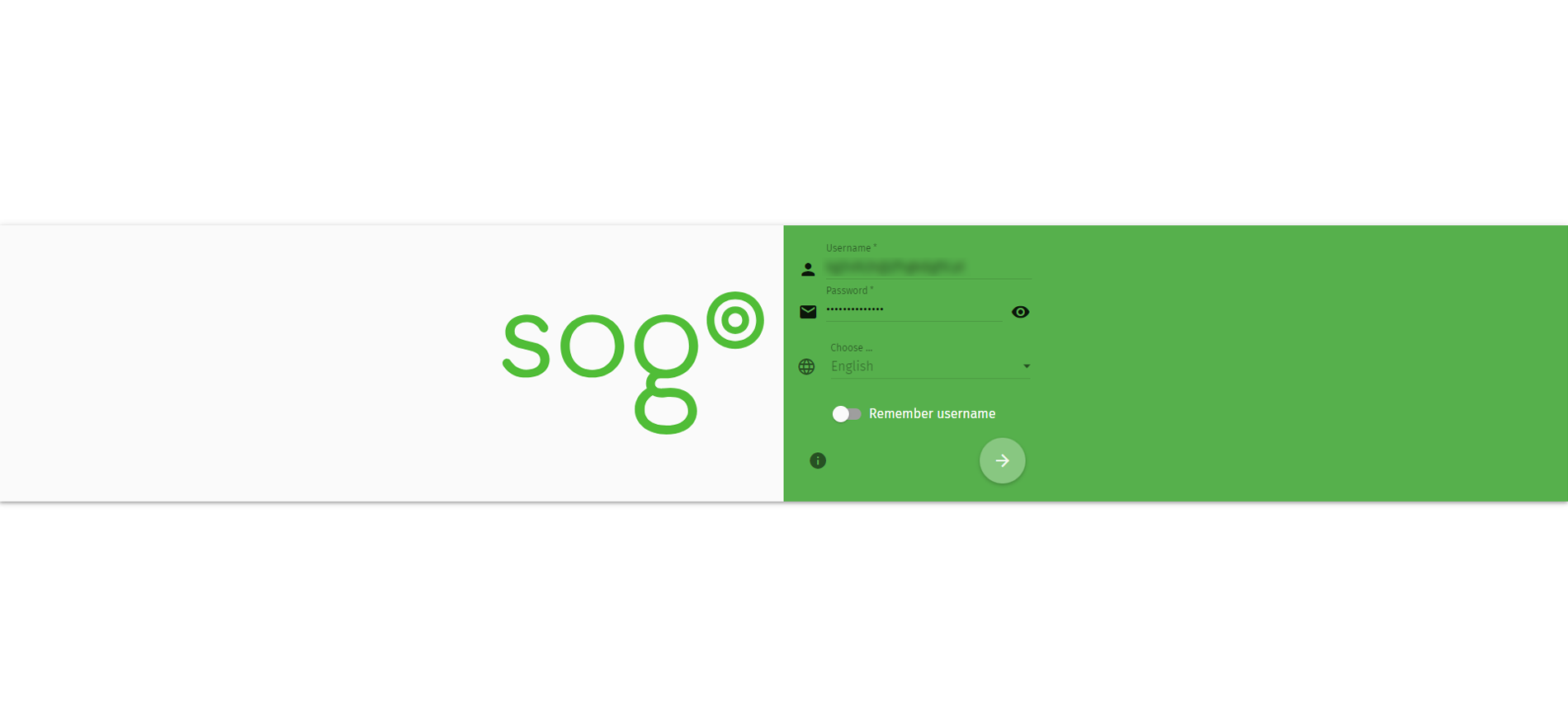
1. Log on SOGo webmail https://webmail.checksolutions.se/SOGo/so/
2. Username: Your e-mailadress.
3. Password: Password for your mail.
4. Click the round icon at the bottom.
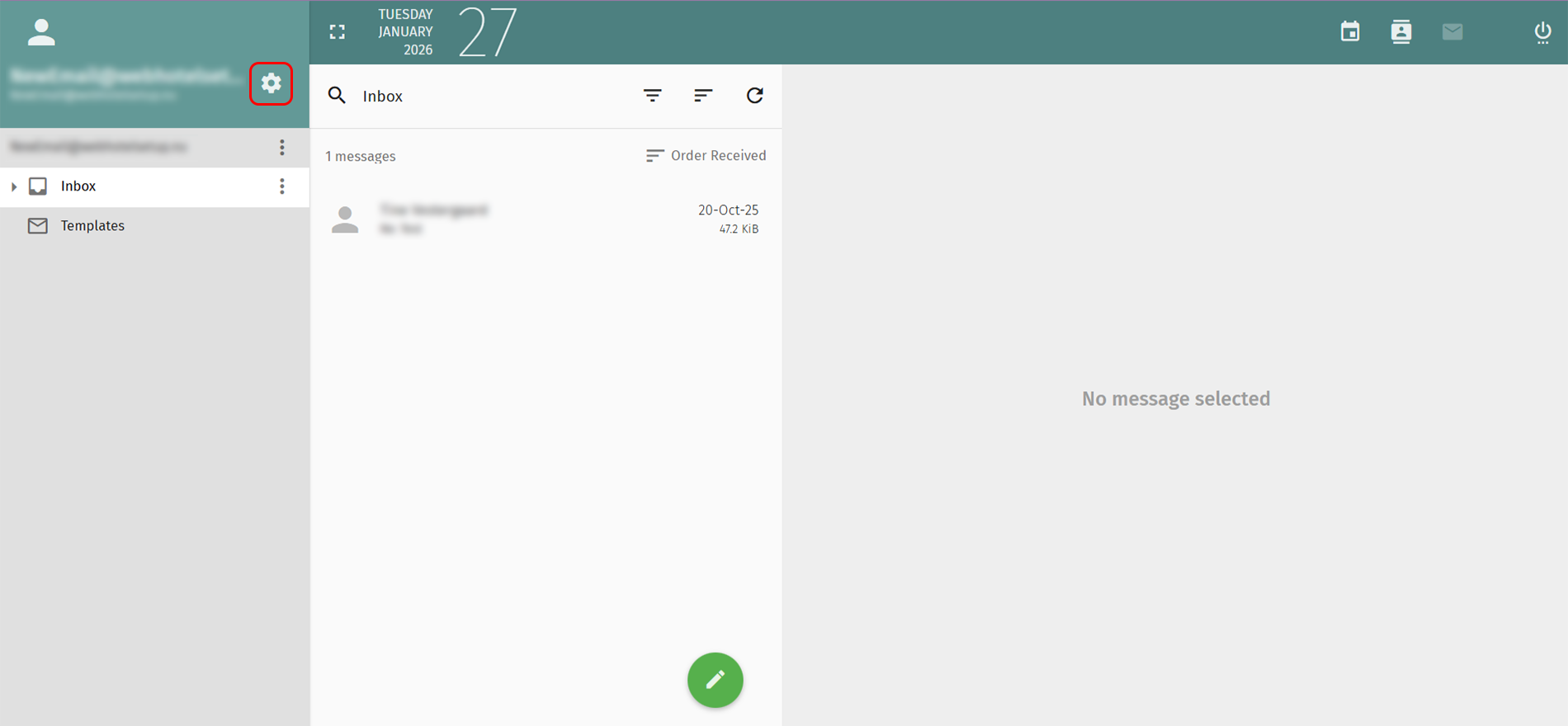
5. Click the gear icon in the top left.
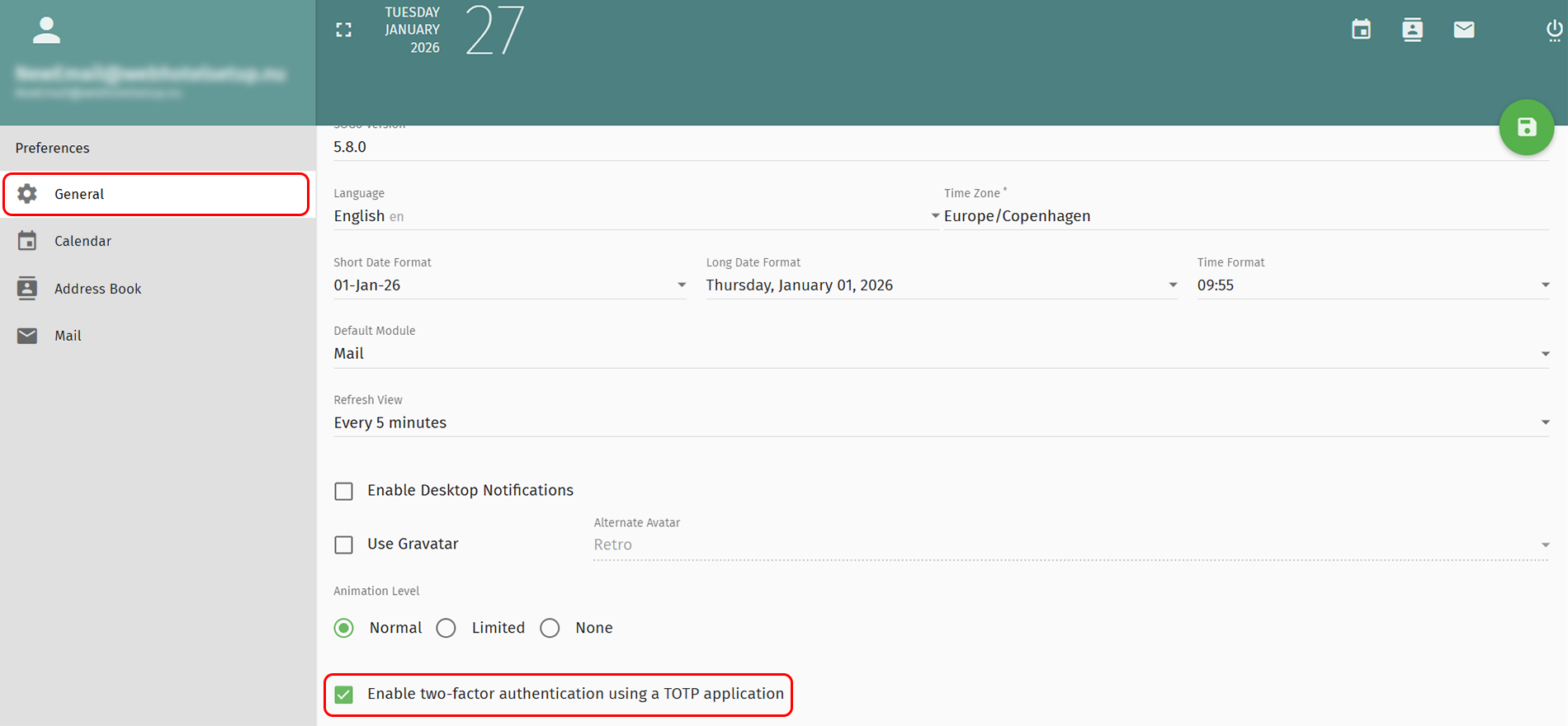
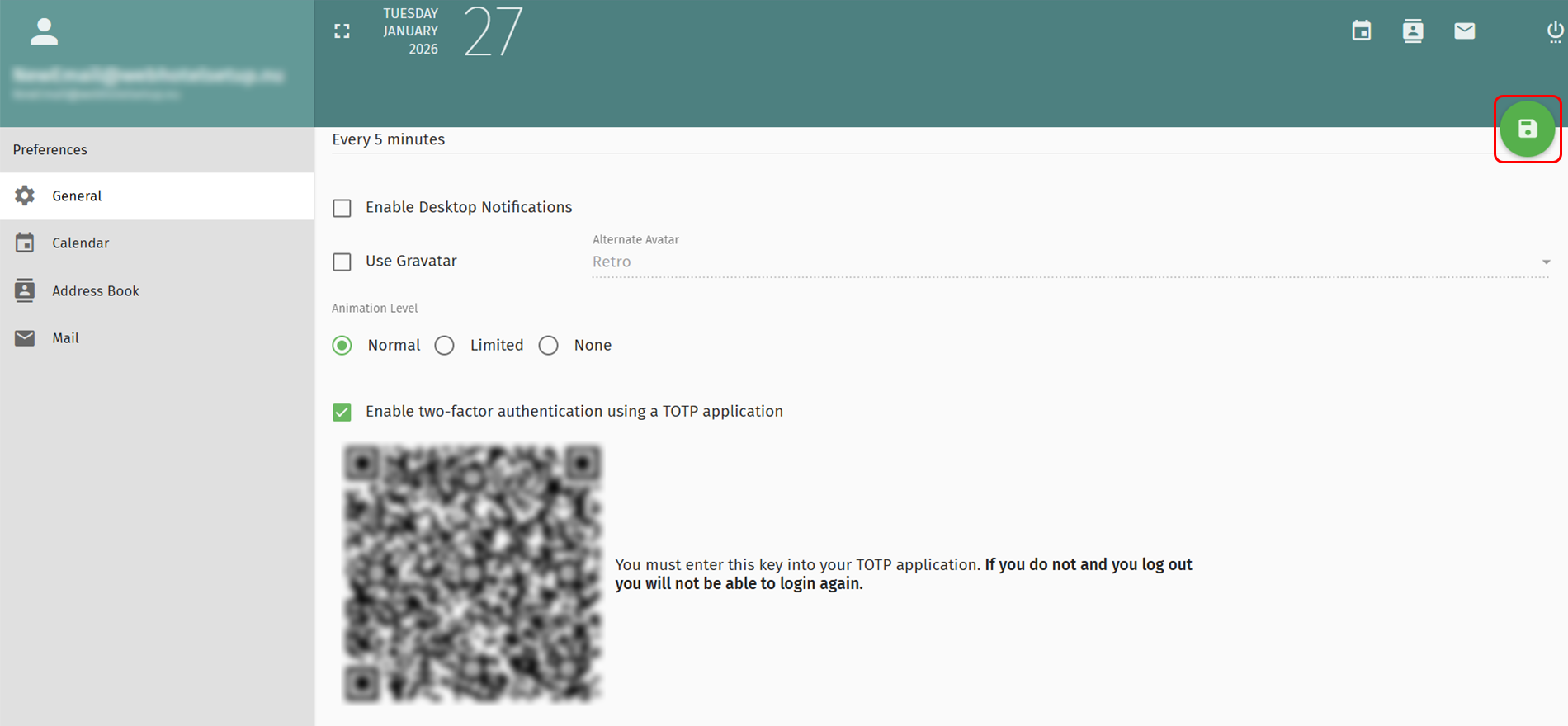
6. Select Generel in the left menu
7. Mark the checkbox Enable two-factor activation in the bottom.
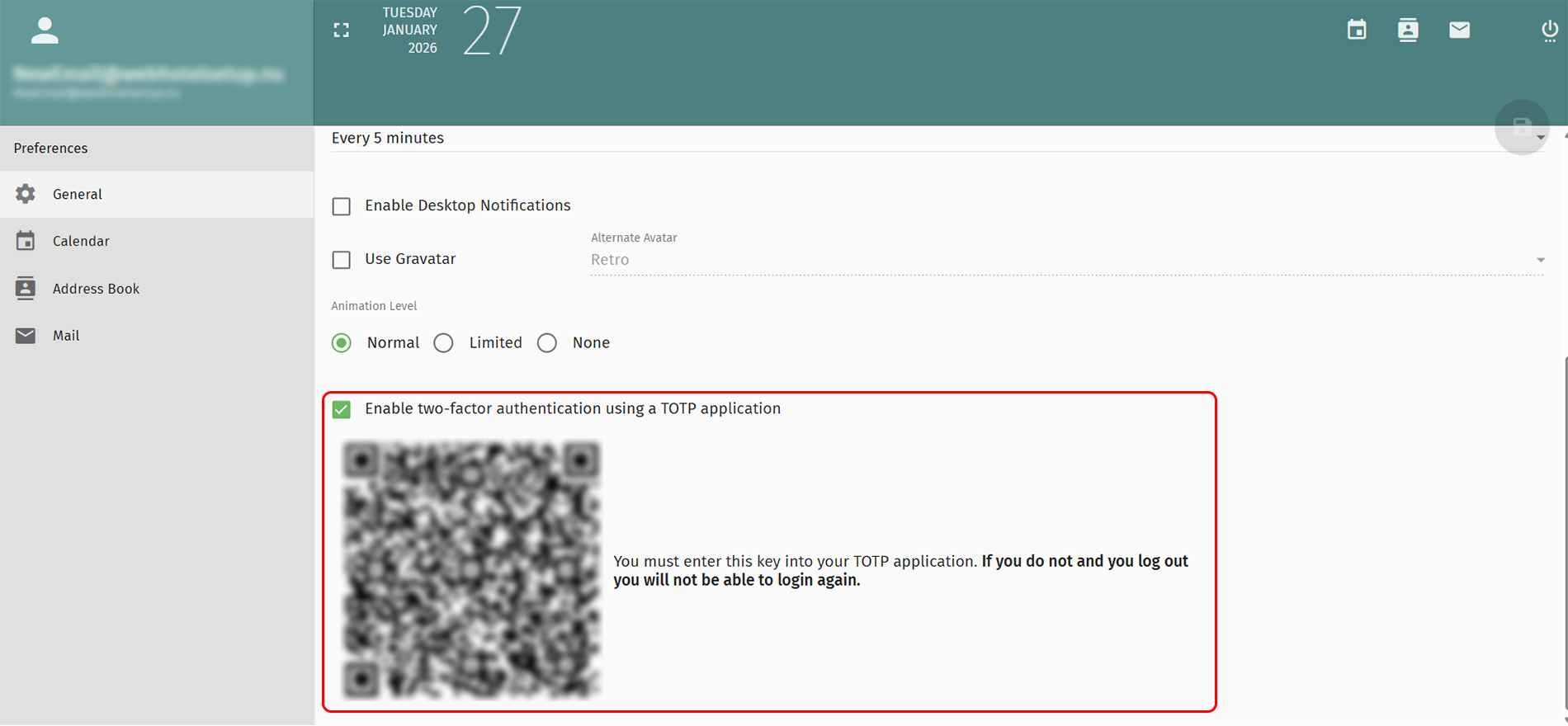
8. IMPORTANT!
Scan QR code in your TOTP- application.
If you forget this, you will not be able to enter your email again.
9. Click the green icon in the top right to save the changes.
Back Last updated: February 25, 2026 by



 +44 (0) 20 4571 1971
 +45 70 26 20 25
 +48 22 103 18 42