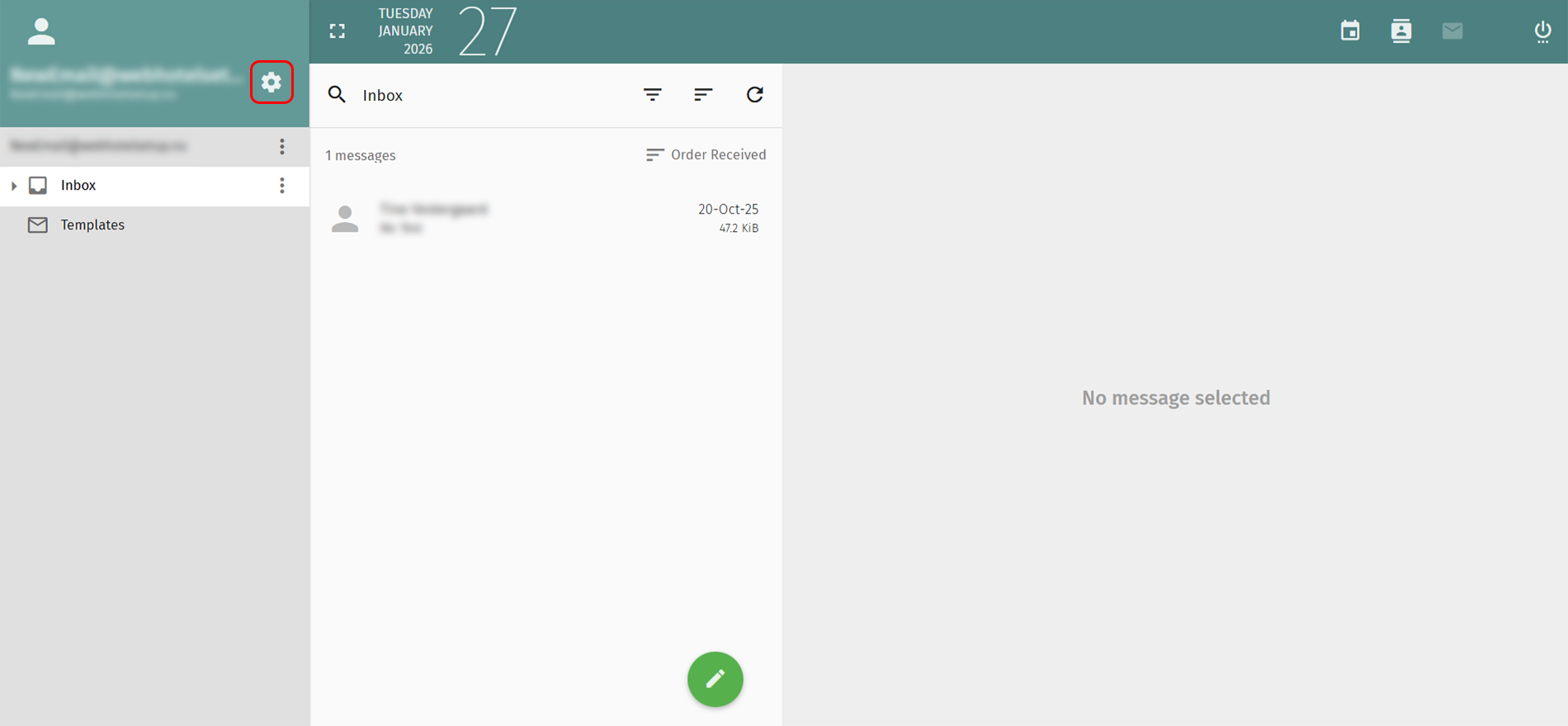
1. Click the gear icon next to your email address in the menu top left.
2. Select Mail in the menu to the left.
3. Select Forward in the menu top right.
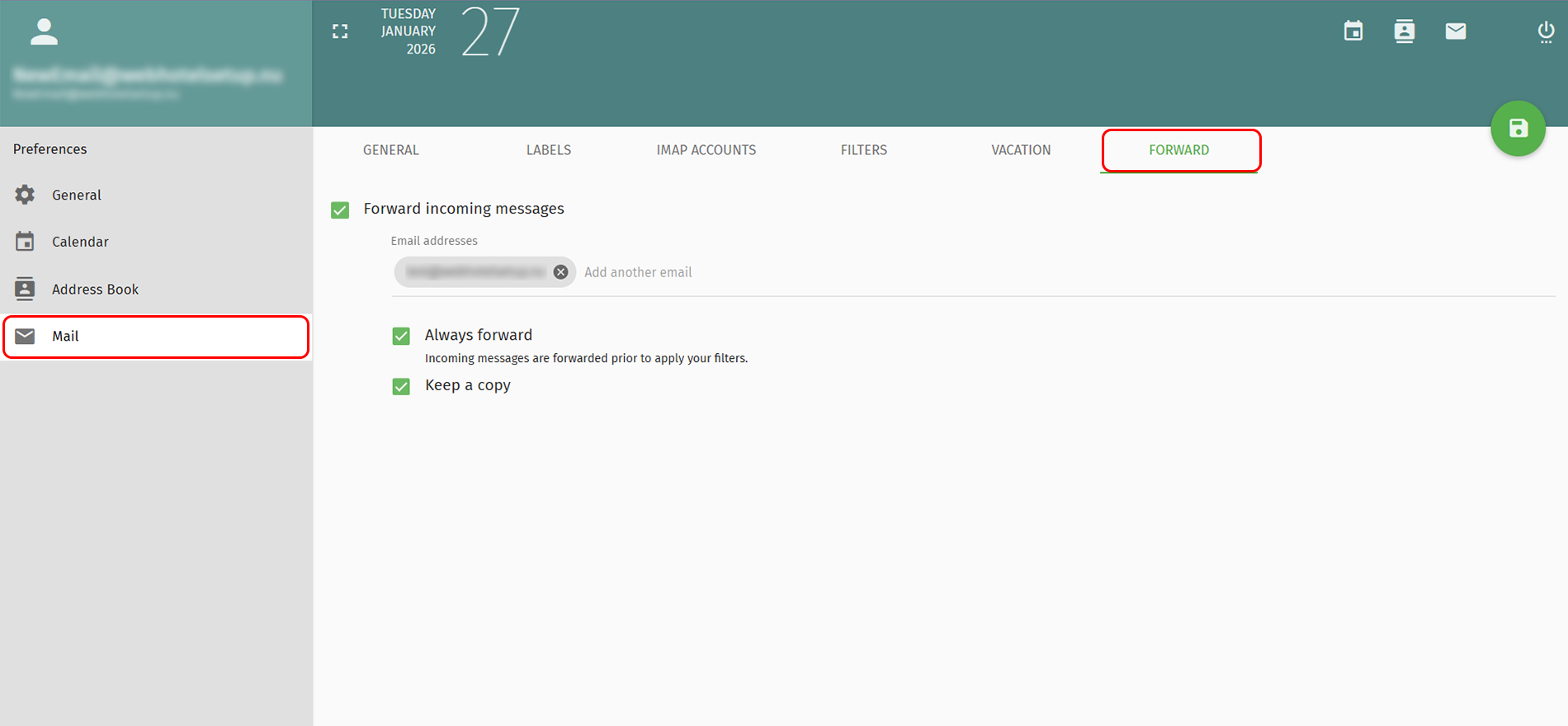
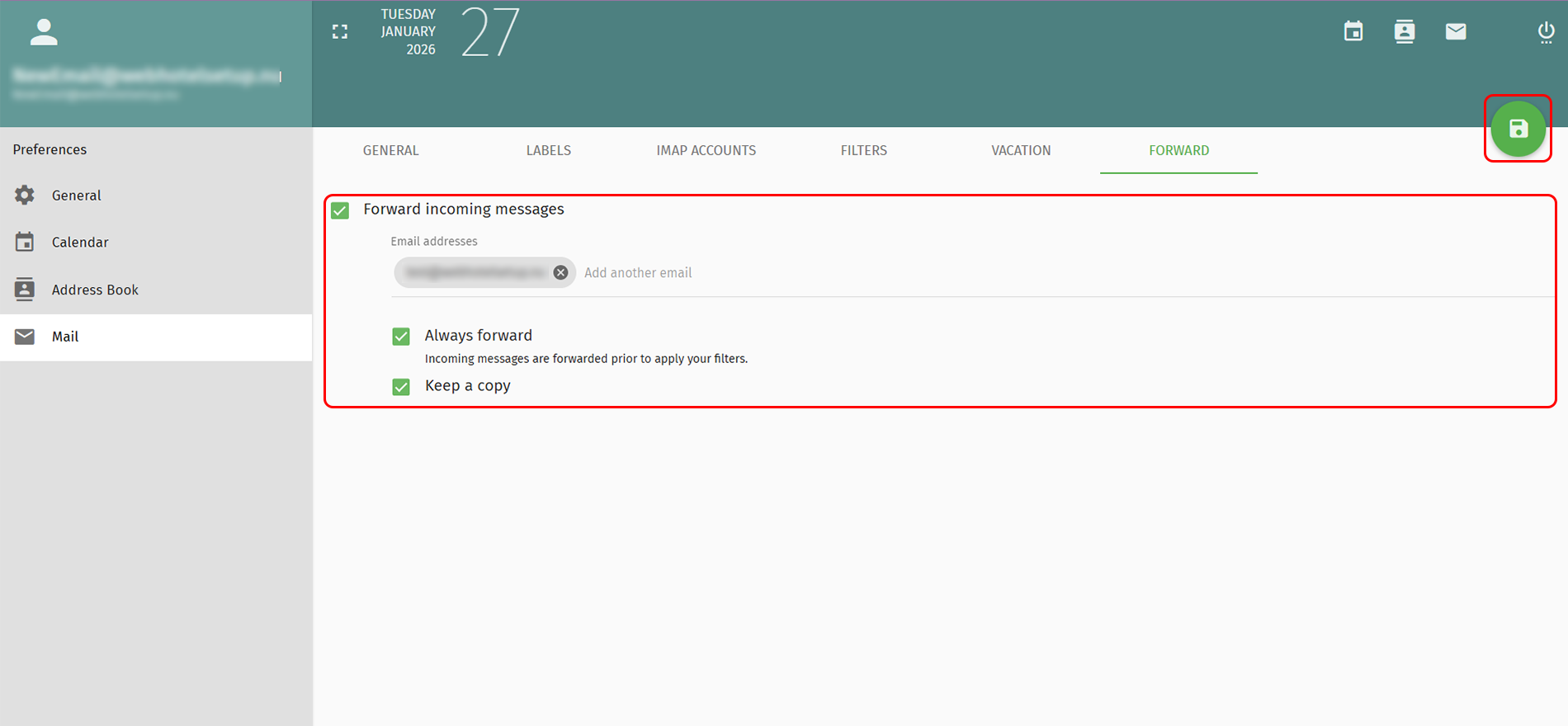
4. Mark the checkbox Forward incoming messages.
5. Write the e-mail address you will forward the emails to.
6. Mark the checkbox Always forward.
7. Mark the checkbox Keep a copy then you can always find your emails.
8. Click the green icon in the top right, to save the settings.
Back Last updated: February 24, 2026 by



 +44 (0) 20 4571 1971
 +45 70 26 20 25
 +48 22 103 18 42