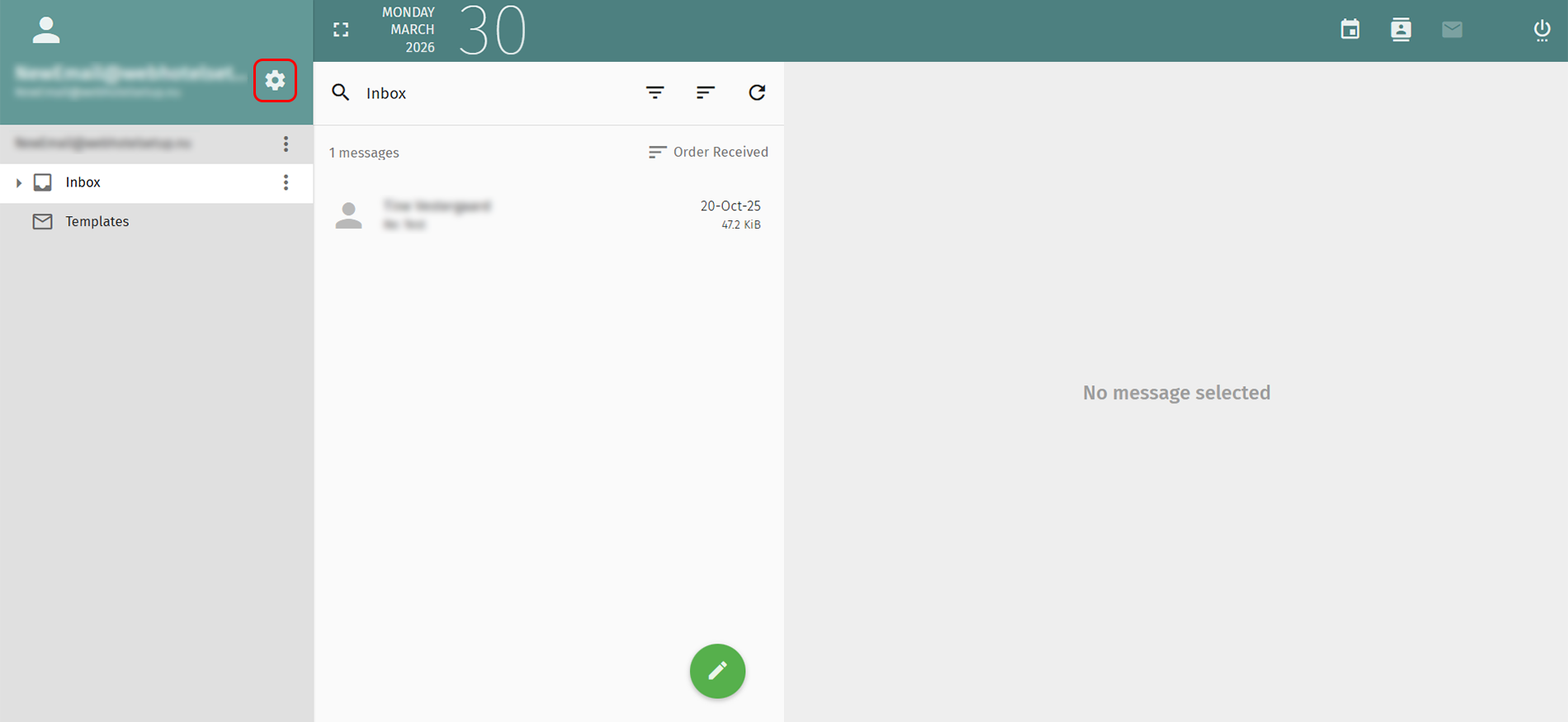
1. Click the gear icon to the right beside your email address on the top left.
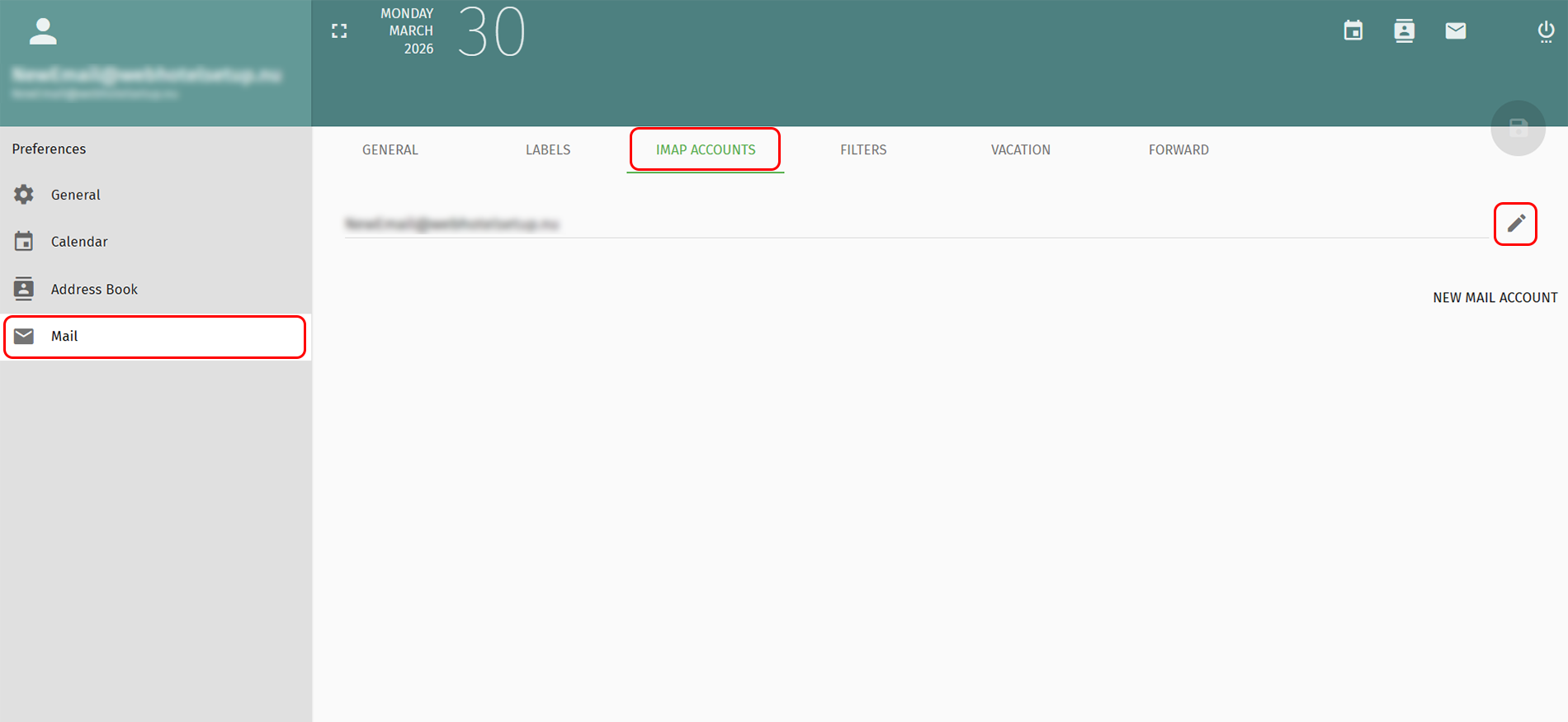
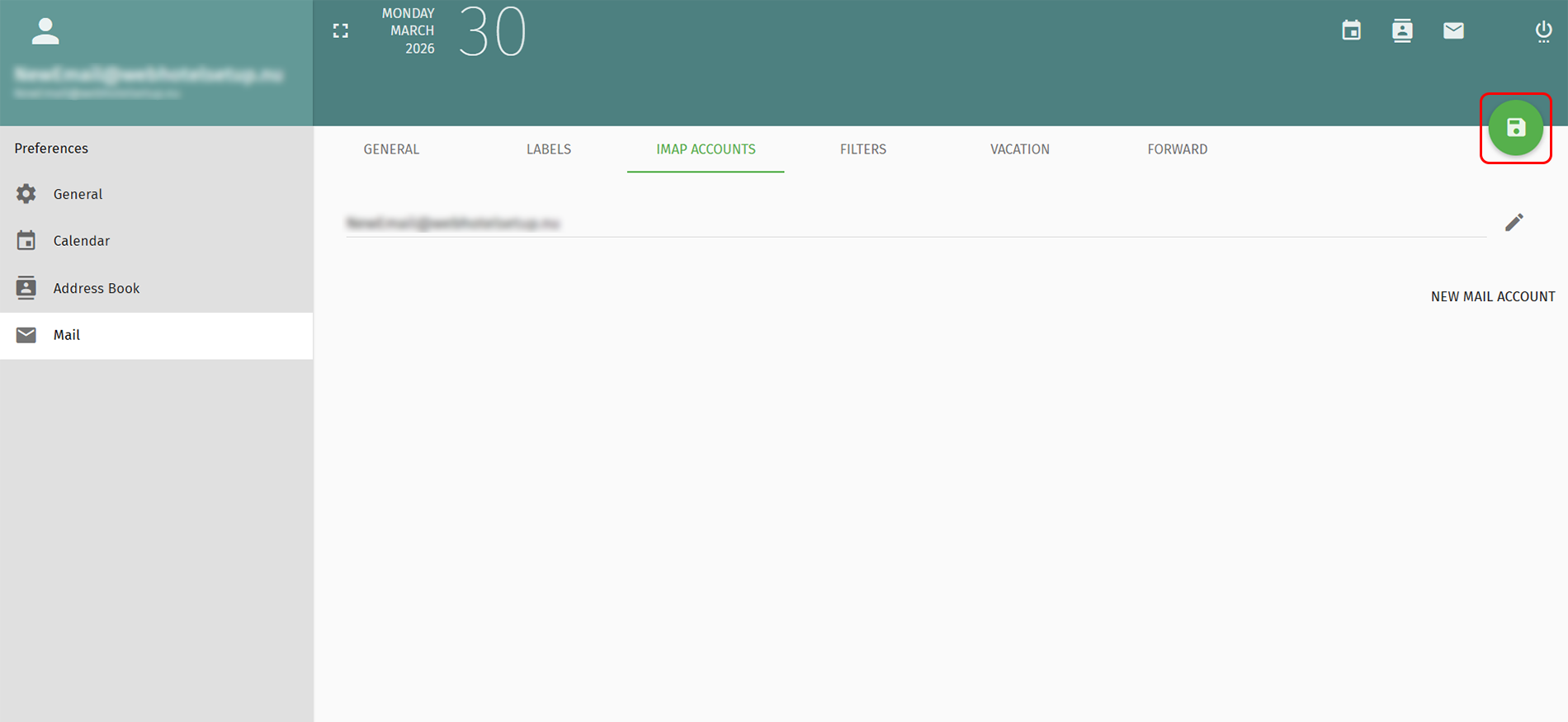
2. Select Mail in the menu to the left.
3. Select IMAP ACCOUNTS from the top menu
4. Click the pencil next to your e-maladdress.
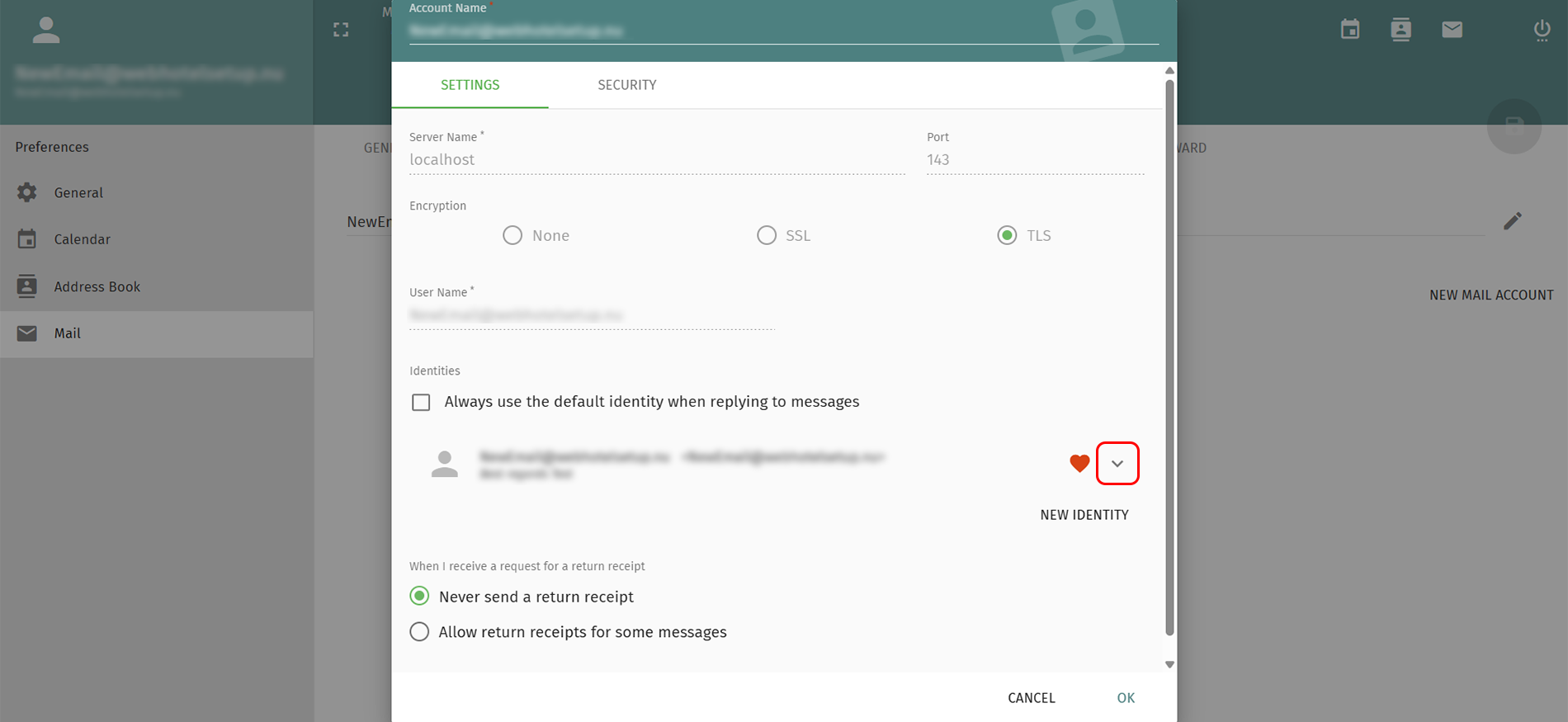
5. Click the arrow next to your e-mail address.
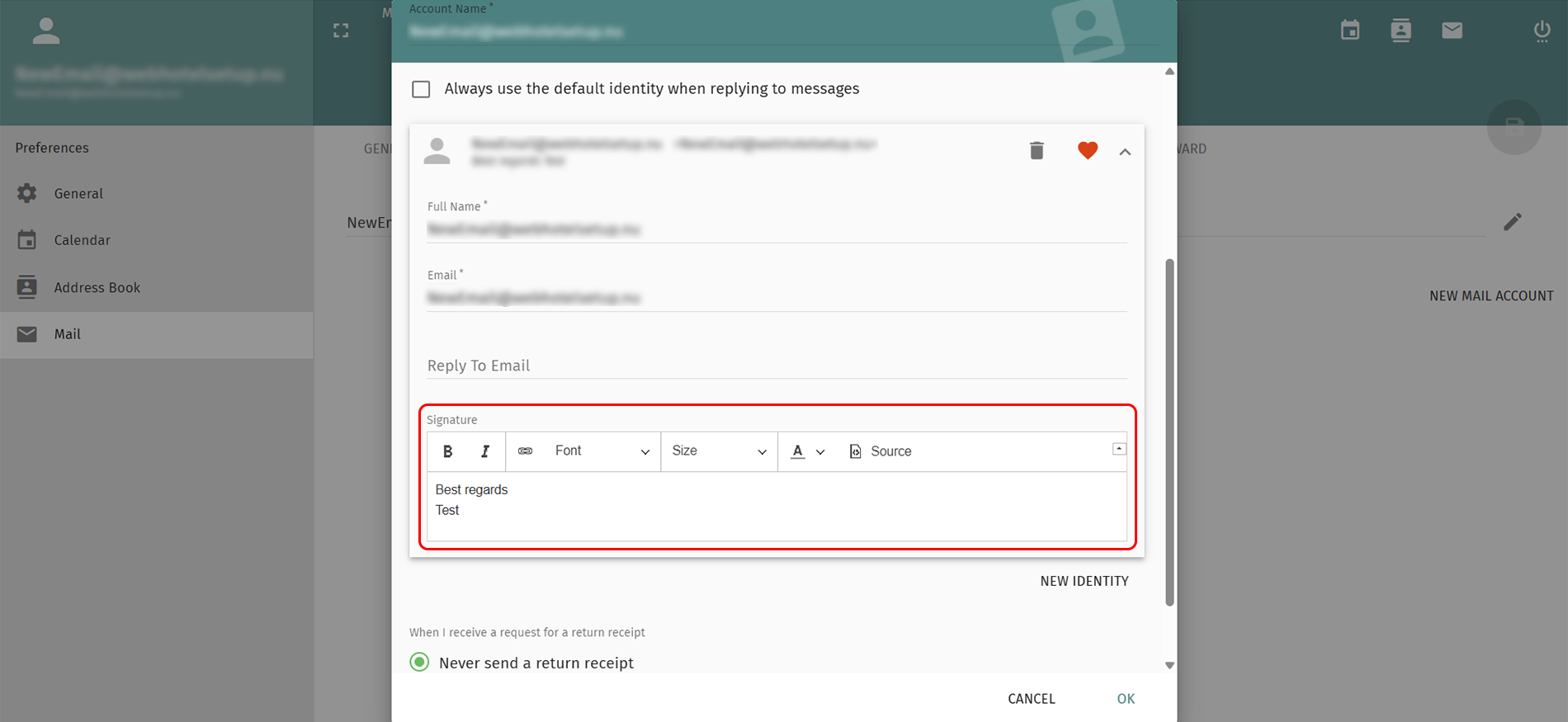
6. Create your signature and click OK.
7. Click the green floppy disk on the top right to save the changes.
Your e-mail signature are now created.
Back Last updated: April 7, 2026 by



 +44 (0) 20 4571 1971
 +45 70 26 20 25
 +48 22 103 18 42