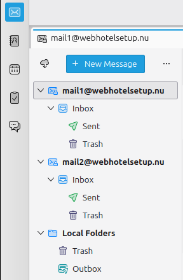
1. You can see your email accounts in your overview. (Here is an example with 2 mail accounts)
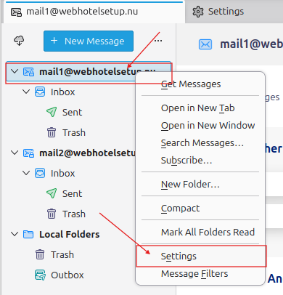
2. Right click on the account and select ”settings”
3. Scroll down the list to the left, till you find “Outgoing Server (SMTP)”.
You must have a profile to each e-mail account in the window to the right.
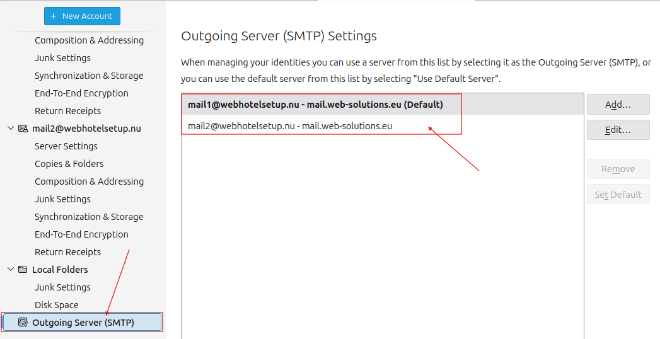
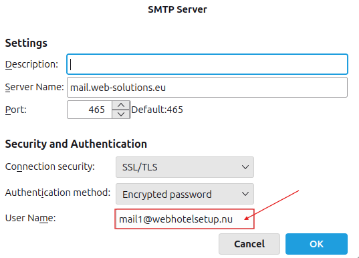
4. If you don’t have a profile for each e-mail account, you can add the one that is missing. Select “Add”
Use the settings below, in in the section “User Name” type your own email address.
5. Next, you need to make sure that the email account is using the correct SMTP profil in “Settings” that corresponds to the email you want to send from:
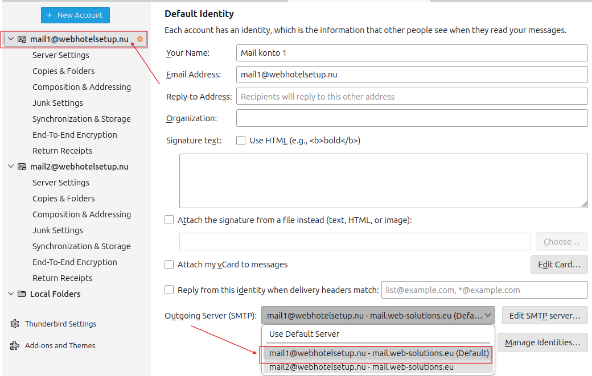
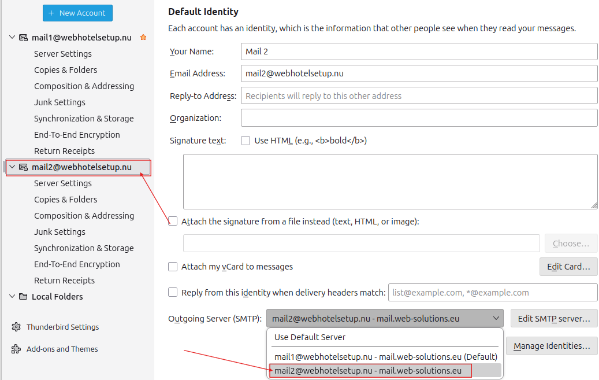
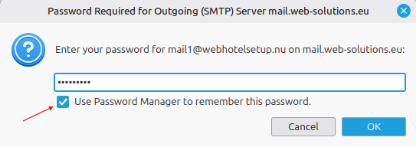
6. You may be asked to enter the password for the mail server the first time you want to send an email from the account, but then you can simply enter your password for the email account and save the setting.
Back Last updated: May 8, 2026 by



 +44 (0) 20 4571 1971
 +45 70 26 20 25
 +48 22 103 18 42